
Download FilZip – Free, Secure File Compression Tool for Windows
Looking for a reliable, lightweight, and free file compression tool for Windows? FilZip is one of the most trusted solutions in the software utilities category, offering powerful multiformat compression and decompression capabilities. Designed for users who need a fast, secure, and easy-to-use tool, FilZip supports a wide range of archive formats including ZIP, RAR, 7Z, TAR, GZ, and more.
Despite its release in 2006, FilZip remains a popular choice among users in India, the United States, and the Czech Republic—proving its long-term value and stability. With over 290,000 downloads since its debut, this lightweight tool continues to deliver consistent performance without demanding excessive system resources. Whether you're compressing large project files, sharing documents, or extracting archives, FilZip handles the job efficiently.
Its simple interface makes it ideal for both beginners and advanced users. The software is free to download and use, with no hidden costs or ads. Stay secure with a trusted tool that has stood the test of time.
Key Features of FilZip – What Makes It Stand Out?
FilZip offers a comprehensive set of features that make it a top contender in the file compression software space. One of its standout strengths is its multiformat support, allowing users to create, extract, and manage archives in over 10 different formats—including ZIP, RAR, 7Z, TAR, GZ, CAB, ISO, and more. This versatility means you won’t need multiple tools to handle different archive types, streamlining your workflow.
Another major advantage is its lightweight design. Unlike many modern compression tools that consume significant RAM and CPU, FilZip runs smoothly even on older Windows systems like Windows 95 and XP. This makes it ideal for users with legacy hardware or those who prefer minimal resource usage. The program installs quickly and launches almost instantly, reducing downtime.
FilZip also includes secure file handling, allowing users to set password protection on archives. This is crucial when sharing sensitive data, ensuring that only authorized individuals can access the contents. The tool supports strong encryption standards, adding an extra layer of security to your files.
For power users, FilZip provides batch processing, enabling the compression or extraction of multiple files at once. This feature saves time when managing large folders or repetitive tasks. Additionally, the context menu integration allows right-click access to common operations like "Add to ZIP" or "Extract here," enhancing usability. The software also supports self-extracting archives, making it easy to share compressed files with users who don’t have a decompression tool installed.
Despite being free, FilZip doesn’t compromise on functionality. It’s a stable, no-frills tool that delivers exactly what it promises—efficient file compression and decompression with minimal hassle.
How to Install and Use FilZip on Windows
Installing FilZip is a straightforward process, especially for users familiar with Windows software setup. Begin by downloading the latest version from a trusted source. Ensure you’re downloading from an official or verified site to avoid malware or bundled software. The installation file is small—typically under 5 MB—making it quick to download even on slower connections.
Once downloaded, run the installer. The setup wizard will guide you through a simple, step-by-step process. You’ll be prompted to choose the installation directory (the default is fine for most users) and whether to create desktop shortcuts or integrate with the context menu. Select the options that suit your workflow. The entire installation takes less than a minute.
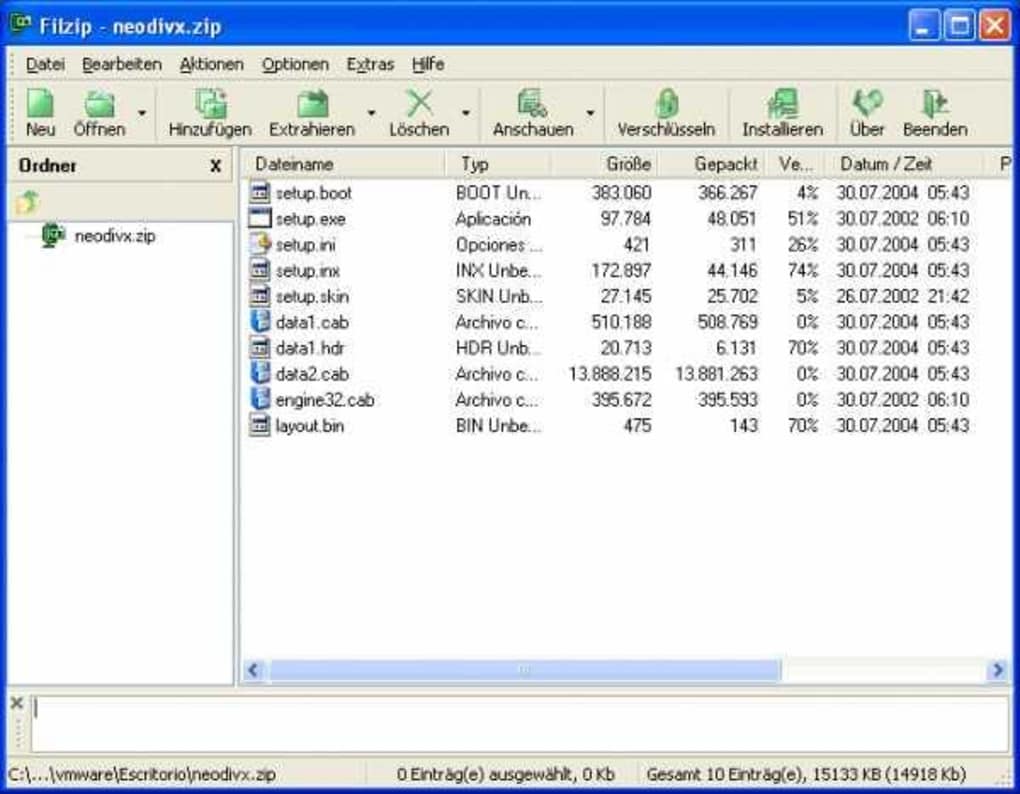
After installation, launch FilZip from the Start menu or desktop shortcut. The interface is clean and intuitive, featuring a file browser on the left and a toolbar with common actions like Create Archive, Extract, and Add Files. To compress a file, simply select the files you want to archive, click “Create Archive,” choose the desired format (ZIP, 7Z, etc.), and set a password if needed. The tool will generate the compressed file in seconds.
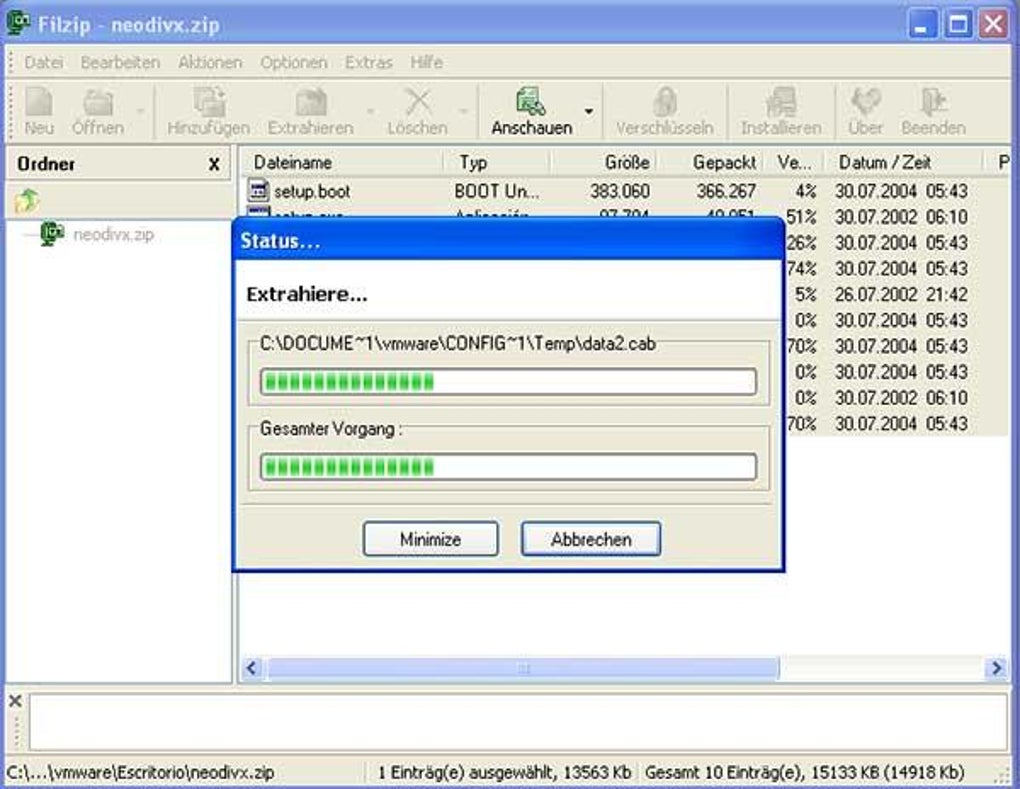
For extraction, right-click any archive file and select “Extract with FilZip” from the context menu, or open the program and drag the file into the interface. FilZip will display the contents and allow you to extract to a specified folder. You can also use the “Extract All” option for quick access to all files.
For advanced users, FilZip supports command-line operations, enabling automation through scripts. This is particularly useful for system administrators or developers who need to integrate compression tasks into larger workflows. The tool also includes a built-in file viewer, allowing you to preview contents without extracting.
Compatibility & System Requirements
FilZip is specifically designed for Windows operating systems, making it a go-to choice for users on desktops and laptops running Windows 95 or later versions. This includes Windows XP, Windows 7, Windows 8, Windows 10, and Windows 11. Its backward compatibility is one of its greatest strengths, ensuring that even older machines can run the software without performance issues.
The system requirements are minimal, which is a major plus for users with aging hardware. FilZip requires as little as 10 MB of free disk space and 16 MB of RAM to operate. It doesn’t need a dedicated graphics card or high-end processor, making it accessible to a wide range of users. This low footprint means it won’t slow down your system, even when running in the background.
While FilZip is currently not available for Mac, Android, or iOS, Windows users have a reliable, free alternative that doesn’t require frequent updates or system upgrades. The software has remained largely unchanged since its 2006 release, which speaks to its stability. However, this also means it may lack some modern UI enhancements found in newer tools like 7-Zip or WinRAR.
For users concerned about security, FilZip is a trusted tool with a proven track record. It has been downloaded over 290,000 times without major security incidents reported. As long as you download it from a reputable source, you can use it with confidence. It’s also fully compatible with network drives and external storage devices, making it ideal for backup and file transfer tasks.
Pros & Cons of Using FilZip
- Pros: Lightweight and fast, supports multiple archive formats, secure password protection, batch processing, context menu integration, free to download and use, compatible with older Windows systems.
- Cons: No Mac or mobile versions, outdated interface compared to modern tools, no automatic update feature, limited customization options, lacks cloud integration.
Frequently Asked Questions (FAQ)
Here are answers to some of the most common questions about FilZip:
-
Is FilZip safe to download and use?
Yes, FilZip is a secure and reliable tool. It has been widely used since 2006 with no major security breaches reported. As long as you download it from an official or trusted source, it’s safe to install and use on your Windows PC.
-
Can I use FilZip to open RAR files?
Absolutely. FilZip supports RAR files, allowing you to extract and view their contents without needing WinRAR. It’s one of the few free tools that handle RAR archives natively.
-
Does FilZip support password protection?
Yes, you can set strong passwords when creating ZIP or other archive files. This ensures that only authorized users can access the compressed data, making it ideal for sharing sensitive documents.
-
Is FilZip free to use?
Yes, FilZip is completely free to download and use. There are no trial periods, premium features, or hidden costs. It’s a fully functional tool available at no charge.
-
Can I extract files from a ZIP without installing FilZip?
While Windows has built-in ZIP extraction, it doesn’t support other formats like RAR or 7Z. To extract files from non-ZIP archives, you’ll need to install FilZip or another compatible tool.
Final Verdict: Why FilZip Still Matters in 2024
FilZip may not have the flashy interface or cloud sync features of modern compression tools, but it delivers exactly what it promises: a fast, free, and reliable way to compress and decompress files on Windows. Its lightweight nature, multiformat support, and strong security features make it a valuable tool for everyday users and professionals alike. While it lacks updates and modern design elements, its stability and low system requirements continue to attract users who value simplicity and performance.
If you’re using an older Windows machine or simply want a no-nonsense compression tool that doesn’t slow your system down, FilZip is an excellent choice. It’s especially useful for those who frequently work with RAR, 7Z, or other non-standard formats.
Download FilZip today and experience a trusted, free file compression tool that’s stood the test of time. Whether you’re organizing documents, backing up data, or sharing files, this reliable software has you covered.







